
AI Workflow Engines and Task Queues Are Not Interchangeable
Workflow engines and task queues solve related but distinct problems — and conflating them loses durability, state, and approval capabilities.
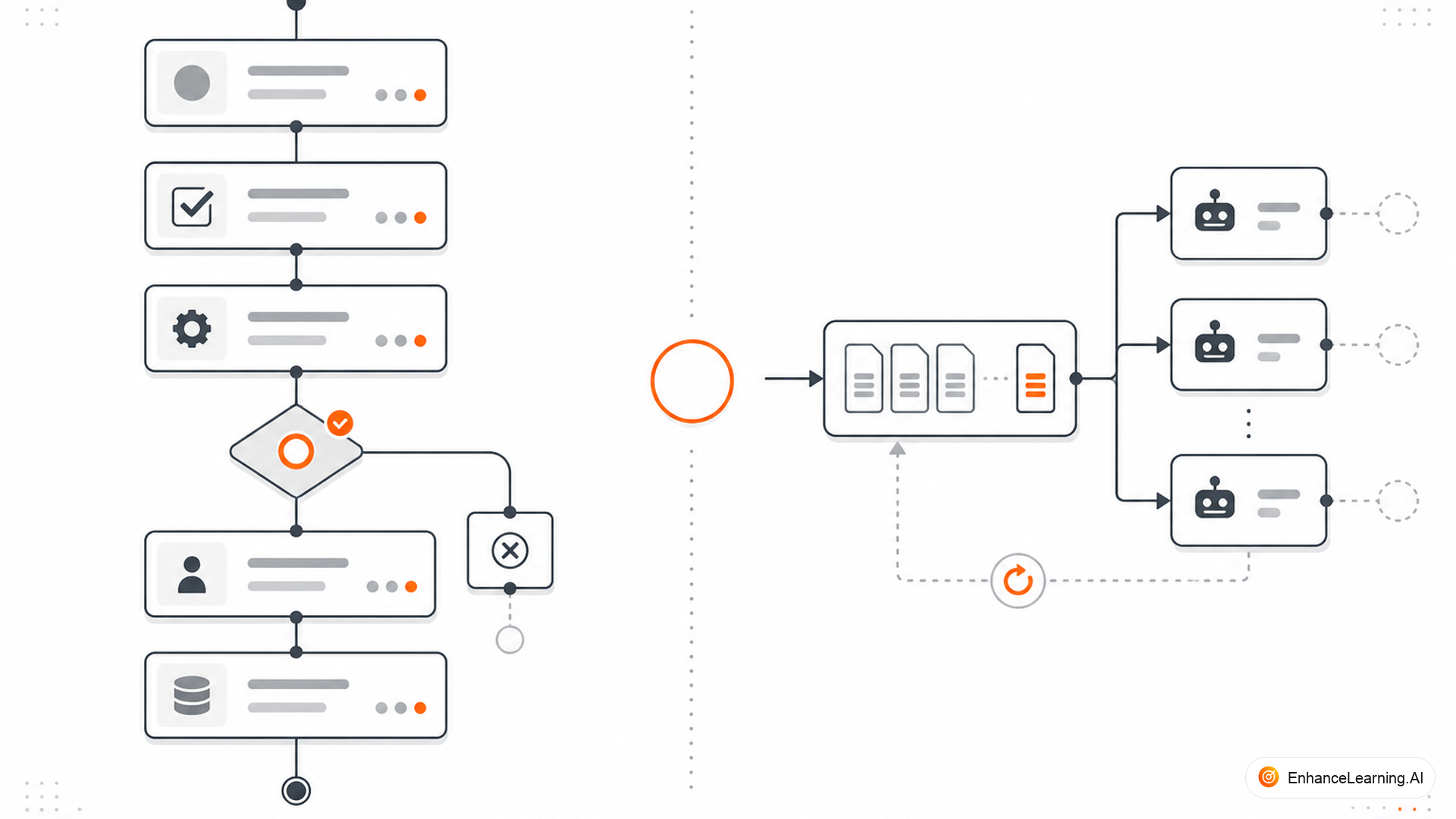
Engineering Slack is full of diagrams where a box labeled "SQS" or "Redis queue" secretly stands in for "workflow engine." Queues move jobs. Workflow engines coordinate processes. Both appear in AI-native stacks. Treating them as interchangeable is how teams lose human approvals mid-flight, double-charge customers on retry, and discover at 3 a.m. that nobody knows which step failed — only that message was consumed twice.
What a task queue does#
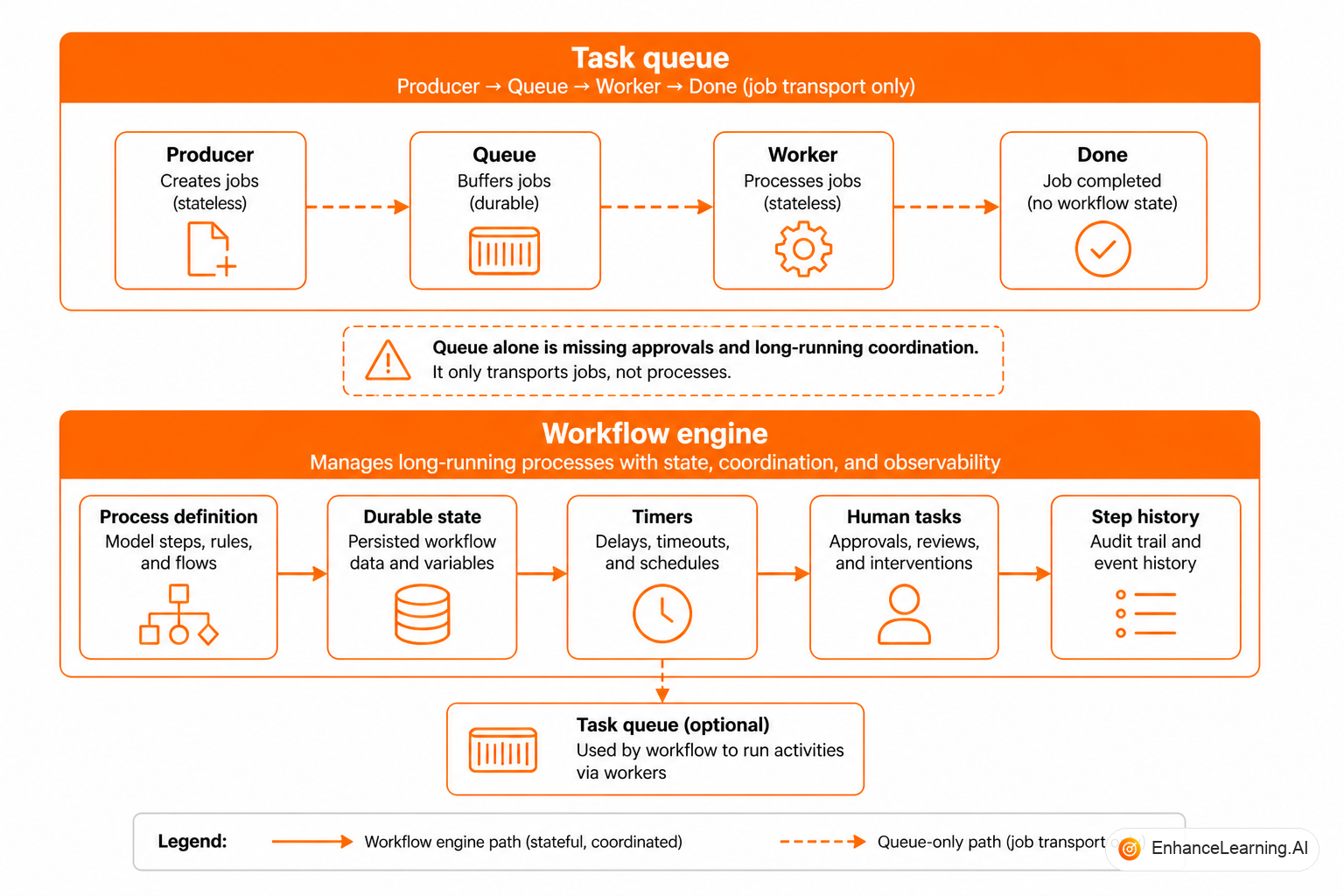
A task queue decouples producers from consumers. A message lands in the queue; a worker pulls it, executes a handler, acks or nacks. Queues excel at load leveling, async execution, and fan-out: "process this PDF," "send this webhook," "embed this document."
Properties you get: at-least-once or exactly-once delivery (with effort), horizontal scaling of workers, dead-letter queues for poison messages. Properties you do not get automatically: multi-step process state, conditional branching, timers, human tasks, or a first-class "workflow instance" concept.
What a workflow engine does#
A workflow engine executes a defined process graph over time. It persists instance state, schedules steps (activities, timers, signals), applies retry policies per step type, and exposes APIs to query "where is instance X?"
Workers still exist — often fed by queues internally — but the orchestration brain lives in the engine: which step comes next, what happens when step three fails, how to wait until Friday for approval.
| Concern | Task queue alone | Workflow engine |
|---|---|---|
| Unit of work | Message / job | Workflow instance |
| Multi-step logic | You implement in handler | Graph definition |
| Wait for days | Awkward (visibility timeout hacks) | Native timers |
| Human approval | Roll your own | Modeled wait states |
| Process visibility | Queue depth metrics | Per-instance status |
| Retry scope | Whole message | Per step with policy |
| Versioning | New consumer code | Graph version + migration |
When a queue is enough#
A queue alone suffices when:
- Each message represents one atomic job with no multi-day lifecycle
- Failure recovery is reprocess the whole message
- Ordering between messages is irrelevant or handled upstream
- No human waits mid-job
- Side effects are idempotent or absent
Examples: embed a uploaded file, generate a thumbnail, run a single LLM summarization for an already-persisted record, send a notification email from a template.
These are tasks, not workflows — even when the handler calls an LLM.
When you need a workflow engine#
Reach for a workflow engine when:
- Steps have dependencies and conditional branches
- Processes wait for external events (human, webhook, SLA)
- You must resume after crash mid-process without redoing completed steps
- Compensation or sagas roll back partial progress
- Operators need instance-level status for support and compliance
- Graph structure changes and in-flight instances must migrate or drain
Example: insurance claim assist — ingest documents, OCR, extract fields with model, validate against policy, route to adjuster if confidence low, wait for decision signal, post payment. That is a workflow. A queue may carry individual activity messages inside it, but the queue is not the orchestrator.
from dataclasses import dataclass
from enum import Enum

class InfraRole(Enum):
    QUEUE = "queue"           # move work units
    WORKFLOW = "workflow"     # coordinate process instances

@dataclass
class StepRequirement:
    name: str
    max_wait_hours: int
    needs_human_signal: bool
    conditional_next: bool

def recommend(requirements: list[StepRequirement]) -> set[InfraRole]:
    roles = {InfraRole.QUEUE}  # almost everything async uses a queue somewhere
    for r in requirements:
        if r.max_wait_hours > 1 or r.needs_human_signal or r.conditional_next:
            roles.add(InfraRole.WORKFLOW)
    return roles

CLAIM_PIPELINE = [
    StepRequirement("ocr", 0, False, False),
    StepRequirement("extract", 0, False, True),
    StepRequirement("adjuster_review", 72, True, True),
    StepRequirement("payment_post", 0, False, False),
]

assert InfraRole.WORKFLOW in recommend(CLAIM_PIPELINE)
How they compose in production#
Mature AI stacks use both. The workflow engine decides what runs next; activities enqueue work to task queues consumed by stateless workers. LLM inference might happen in a GPU worker pool fed by a queue while Temporal (or similar) tracks that instance claim-991 completed extract and waits on adjuster_review.
Engine and queue together
6 steps
- 1Workflow engine
- 2Schedules activity
- 3Enqueue task
- 4Worker executes
- 5Result signal
- 6Engine advances graph
Conflation error: skipping the engine and letting workers publish to the next queue as the sole coordination mechanism. You lose a single source of truth for process state.
interface TaskMessage {
  jobId: string;
  payload: unknown;
  // No cursor, no graph version, no business instance id
}

interface WorkflowInstance {
  instanceId: string;
  definitionVersion: string;
  cursor: string;
  pendingActivity?: { taskQueue: string; input: unknown };
}
If your message type looks like the first interface but your runbook describes multi-day processes, you have a gap.
Durability differences that matter for AI#
AI steps fail differently from CRUD handlers: timeouts, rate limits, malformed JSON that parses, correct JSON that is wrong. Workflow engines apply per-step retry policies — three retries on read-only model calls, zero automatic retries on payment post, escalate to human on validation failure.
Queues retry entire messages. Without step boundaries, a retry re-runs completed LLM calls, doubling cost, or worse, re-executes side effects hidden inside the handler.
Workflow engines also record which model version and prompt ran at each step — critical when quality regresses after a deploy. Queue logs show message received and message acked. The gap burns you during eval investigations.
Human approval: where queues break#
Human approval is a wait state measured in hours or days. Queue visibility timeouts max out (SQS: 12 hours). Common hacks — re-publish a delayed message every 11 hours — lose atomicity with process state and create duplicate approval prompts.
Workflow engines model await signal("approved") with explicit timeout and escalation paths. The instance stays waiting, not failed, not invisible.
If compliance asks "prove the model output was shown before approval," workflow history provides it. Queue logs show a message was processed; they do not prove process semantics.
Cost and operational overhead#
Queues are cheap and familiar. Workflow engines add infrastructure, learning curve, and sometimes license cost. The mistake is avoiding engine cost while paying hidden tax: engineer time reimplementing timers, state tables, and debug tooling in application code.
Observability split#
Queue metrics tell you the system is busy or backed up. Workflow metrics tell you why instances stall: waiting on human, retry storm on model step, stuck on external API. AI incidents often present as "queue depth normal, customer furious" — because the process is waiting, not failing.
Build dashboards on instance status first. Queue depth is a supporting indicator for worker capacity, not a substitute for process health.
Summary#
Task queues reliably move independent jobs to workers — including jobs that call LLMs. Workflow engines coordinate durable, multi-step processes with state, timers, human gates, and per-step failure semantics. AI-native systems almost always need both layers: queues for execution transport, engines for process truth. Conflating them produces homegrown orchestrators that miss approvals, duplicate side effects, and hide in-flight work from operators. Draw the boundary clearly — messages versus instances — before you scale past the first production incident.
Want premium architecture blueprints?
Be among the first to explore interactive reference architectures, implementation playbooks, and premium engineering resources at launch.
Related Articles
Recommended reading based on this topic.
Designing Reliable AI Workflows
How to design AI workflows that survive retries, long-running steps, and human approval — with explicit state, idempotency, and failure paths you can operate.
Read ArticleThe Difference Between Orchestrated AI Workflows and Ad Hoc Scripts
Formal workflow engines versus informal scripted automation — and how to recognize when orchestration infrastructure becomes necessary.
Read ArticleFrom Stateless API Calls to Stateful AI Workflows
Ephemeral API calls versus processes that accumulate context, decisions, and partial results — the baseline vocabulary for workflow design.
Read Article