
Designing Reliable AI Workflows
How to design AI workflows that survive retries, long-running steps, and human approval — with explicit state, idempotency, and failure paths you can operate.
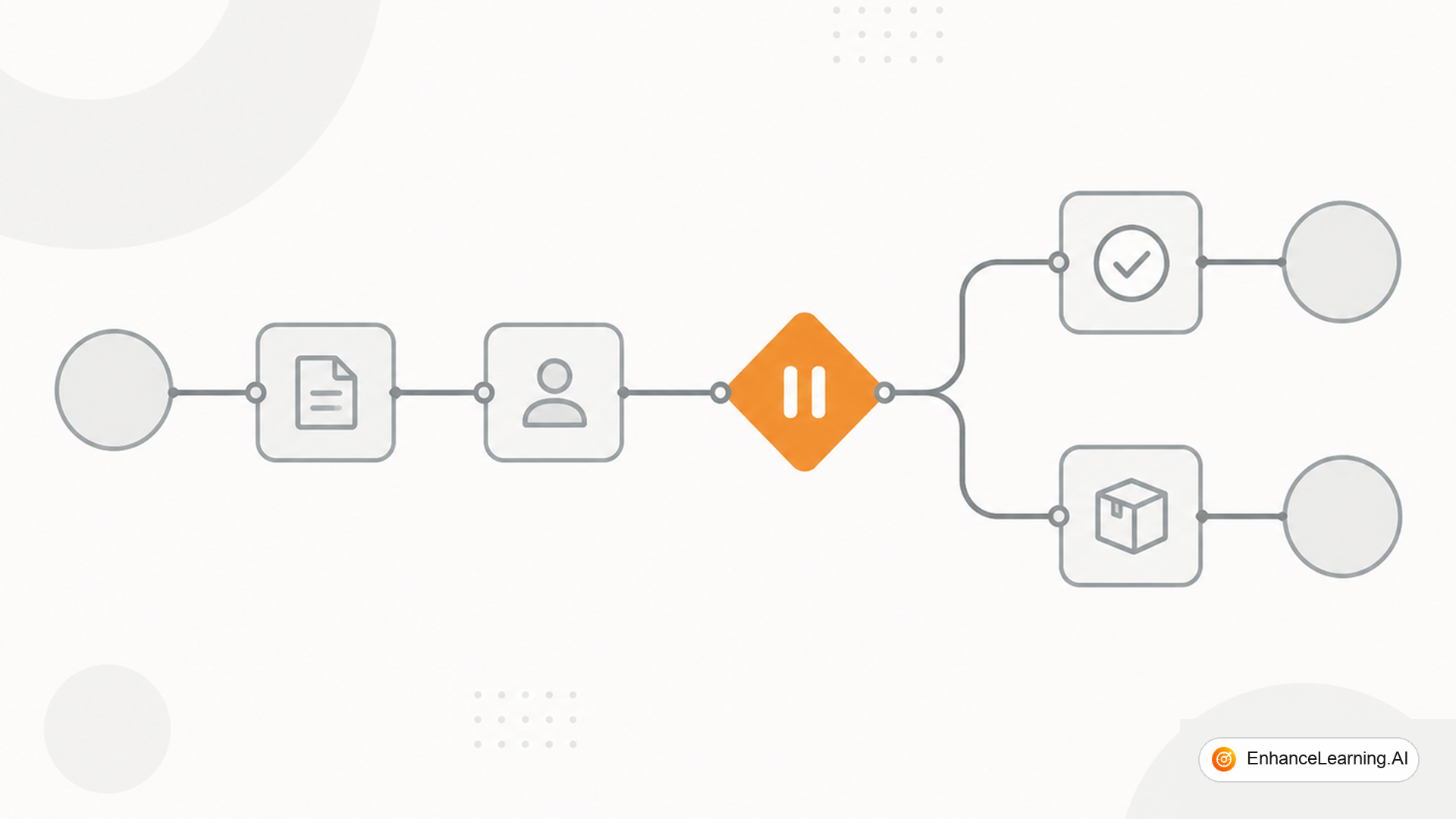
An AI demo is a straight line: prompt in, answer out. An AI workflow in production is a state machine that may wait overnight for a human, retry a flaky tool, resume after a deploy, and still not double-charge a customer. Reliability comes from explicit state and idempotent effects, not from a more eloquent system prompt.
Workflow vs agent loop#
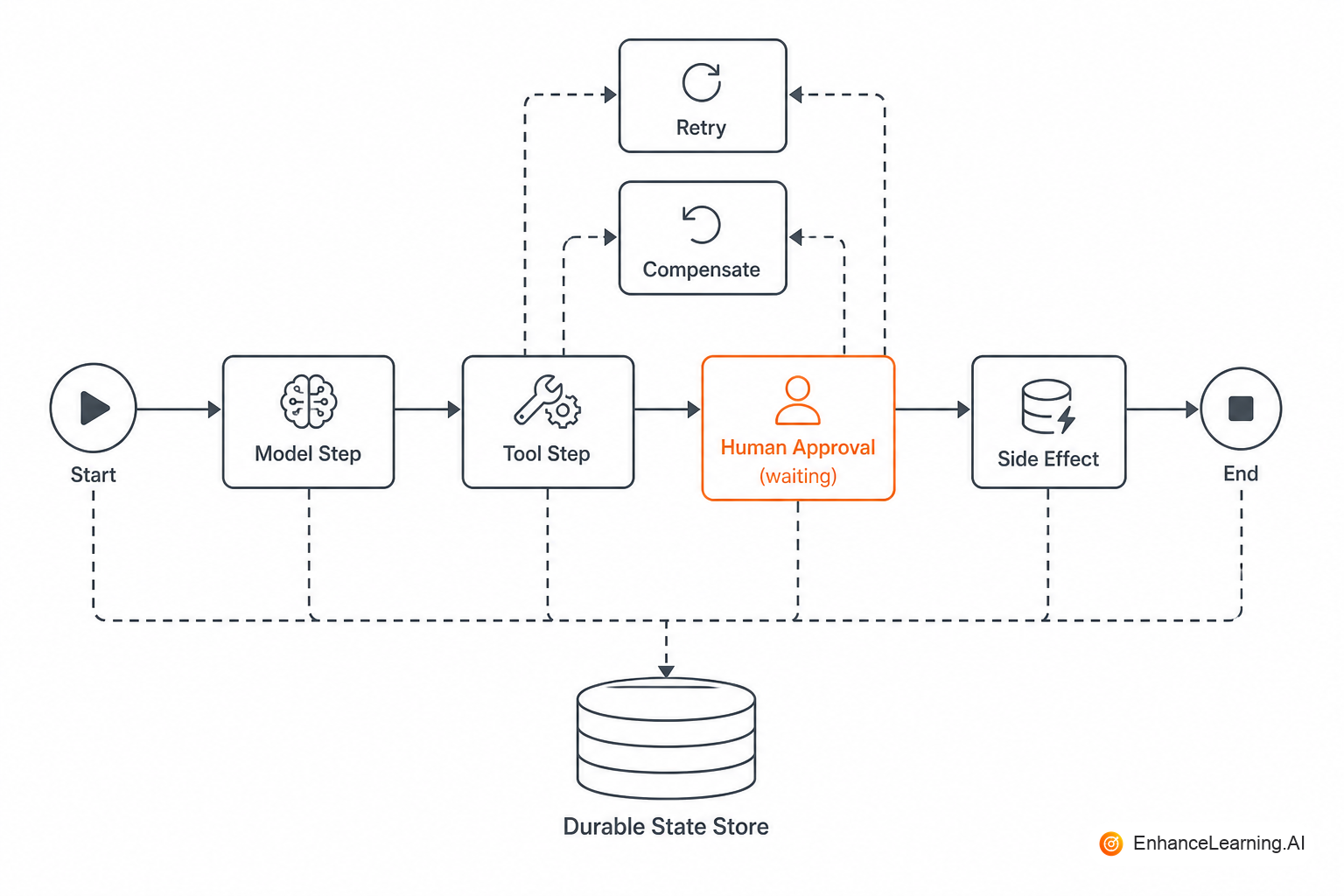
An agent loop lets the model choose the next tool under a budget. An AI workflow is a durable graph you define: steps, timers, approval nodes, compensating actions. Many products need both: a workflow engine for longevity and compliance, with model-shaped steps inside certain nodes.
If the business requires "pause for legal review" or "continue next Tuesday," you want a workflow runtime (Temporal, Step Functions, Cadence-style, or your own job + DB design) — not a long-lived HTTP request holding a chat session open.
State you must persist#
At minimum, store:
- Workflow id and version of the graph
- Current node / status
- Inputs and outputs per step (redacted as needed)
- Idempotency keys for side effects
- Who approved what, and when
Memory inside a model context is not a workflow store. Context dies with the request. Databases do not.
@dataclass
class WorkflowState:
    id: str
    version: str
    status: str  # running | waiting_human | succeeded | failed
    cursor: str  # node id
    data: dict
    idempotency: dict[str, str]

def transition(state: WorkflowState, event: str, payload: dict) -> WorkflowState:
    node = GRAPH[state.cursor]
    if node.type == "human_approval" and event != "approved":
        state.status = "waiting_human"
        return save(state)
    if node.type == "tool":
        key = f"{state.id}:{node.id}"
        result = tools.call(node.tool, payload, idempotency_key=key)
        state.data[node.id] = result
    state.cursor = node.next_on[event]
    return save(state)
Retries without duplicate disasters#
LLM timeouts and tool 500s will happen. Retry read steps freely with backoff. Retry writes only with idempotency keys or upsert semantics. Never blindly re-run "send email" or "create refund" because the worker crashed after success but before ack.
Classify errors: retryable (timeout, 429) vs terminal (validation, authz). Dead-letter the terminal path with enough trajectory for a human.
Human approval as a first-class node#
Approval is not a popup bolted on the UI. It is a workflow state: waiting, with a token or task id, expiry, and escalation. The model may draft the action; the workflow should not apply it until the event approved arrives from an authenticated actor.
The approval gate belongs in the workflow engine, not in the model's good intentions. If the process can proceed by the model saying "looks approved," you do not have an approval step — you have theater.
Long-running execution patterns#
| Concern | Pattern |
|---|---|
| Wait for human / external system | Durable timer + callback / task queue |
| Partial progress | Checkpoint after each node |
| Deploy mid-flight | Version the graph; drain or migrate in-flight runs |
| Model step failure | Bounded retries + fallback node (rules or human) |
| Cost control | Per-workflow token and step budgets |
Where the model sits in the graph#
Typical nodes: classify, extract, draft, plan, critique. Keep side-effect nodes deterministic wrappers around APIs. Pass only the data each node needs — do not reload the entire enterprise into every prompt because the workflow "might need it."
Testing workflows#
Test the graph with deterministic fakes for tools and fixed fixtures for model nodes where you can. For model nodes, use contract tests (schema validity) plus a small golden set. Chaos-test: kill the worker mid-write and assert idempotency; expire an approval and assert the path does not proceed; inject a retryable error and assert exactly-once side effects.
If your only test is "run the happy path in a notebook," you do not have a workflow — you have a demo script.
Observability for long runs#
Expose workflow id in user-facing support tools. Emit span links from workflow steps to model traces. Alert on age of waiting_human and on retry storms. Cost should roll up per workflow run, not only per HTTP request — otherwise finance will never see the true bill for a multi-day process.
Compensating actions#
When a later step fails after an earlier write, you may need a compensating transaction (cancel reservation, post corrective note). Encode compensations as explicit nodes, not as improvised agent initiative. Agents are bad CFOs.
SLOs for AI workflows#
Traditional latency SLOs miss multi-day flows. Define SLOs on workflow outcomes:
- Time to first meaningful progress — user sees draft or status within X minutes
- Time in
waiting_human— alert if approvals sit > 48 hours without escalation - Completion rate — percent of started workflows reaching
succeededwithout manual rescue - Duplicate side-effect rate — should be zero; any duplicate write is a severity-1 bug
- Cost per completed workflow — tokens + tool calls + human time if you track it
Error budgets apply: if completion rate drops after a model upgrade, roll back the alias in the gateway and freeze graph changes until evals explain the cliff. "The model is flakier this week" is not an operable SLO; "completion rate fell from 94% to 81%" is.
Pair workflow metrics with trace links. On-call should open one id and see graph cursor, last model step, last tool error, and pending approval token — not a wall of unstructured logs.
Treat human wait time as part of the product experience, not as dead air. Notify approvers with context pulled from persisted step outputs — not by asking the model to re-summarize from scratch on each ping. Every unnecessary model call during a multi-day workflow is cost and drift risk.
Summary#
Reliable AI workflows are durable state machines with model-shaped steps, not longer chat sessions. Persist artifacts, retry with idempotency, make human approval a real state, and budget steps like any other resource. Do that and "the LLM flaked" becomes an operable incident instead of an unrecoverable mess.
Want premium architecture blueprints?
Be among the first to explore interactive reference architectures, implementation playbooks, and premium engineering resources at launch.
Related Articles
Recommended reading based on this topic.
The Difference Between Orchestrated AI Workflows and Ad Hoc Scripts
Formal workflow engines versus informal scripted automation — and how to recognize when orchestration infrastructure becomes necessary.
Read ArticleFrom Stateless API Calls to Stateful AI Workflows
Ephemeral API calls versus processes that accumulate context, decisions, and partial results — the baseline vocabulary for workflow design.
Read ArticleWhat Makes a Workflow AI-Native Rather Than Just Automated
The architectural traits that separate AI-native workflows from script pipelines — probabilistic steps, judgment gates, and context that survives retries.
Read Article