
Loop Engineering for Agentic Systems
How to design agent loops that terminate: observe, decide, act, verify — with budgets, escapes, and feedback that does not spin forever.
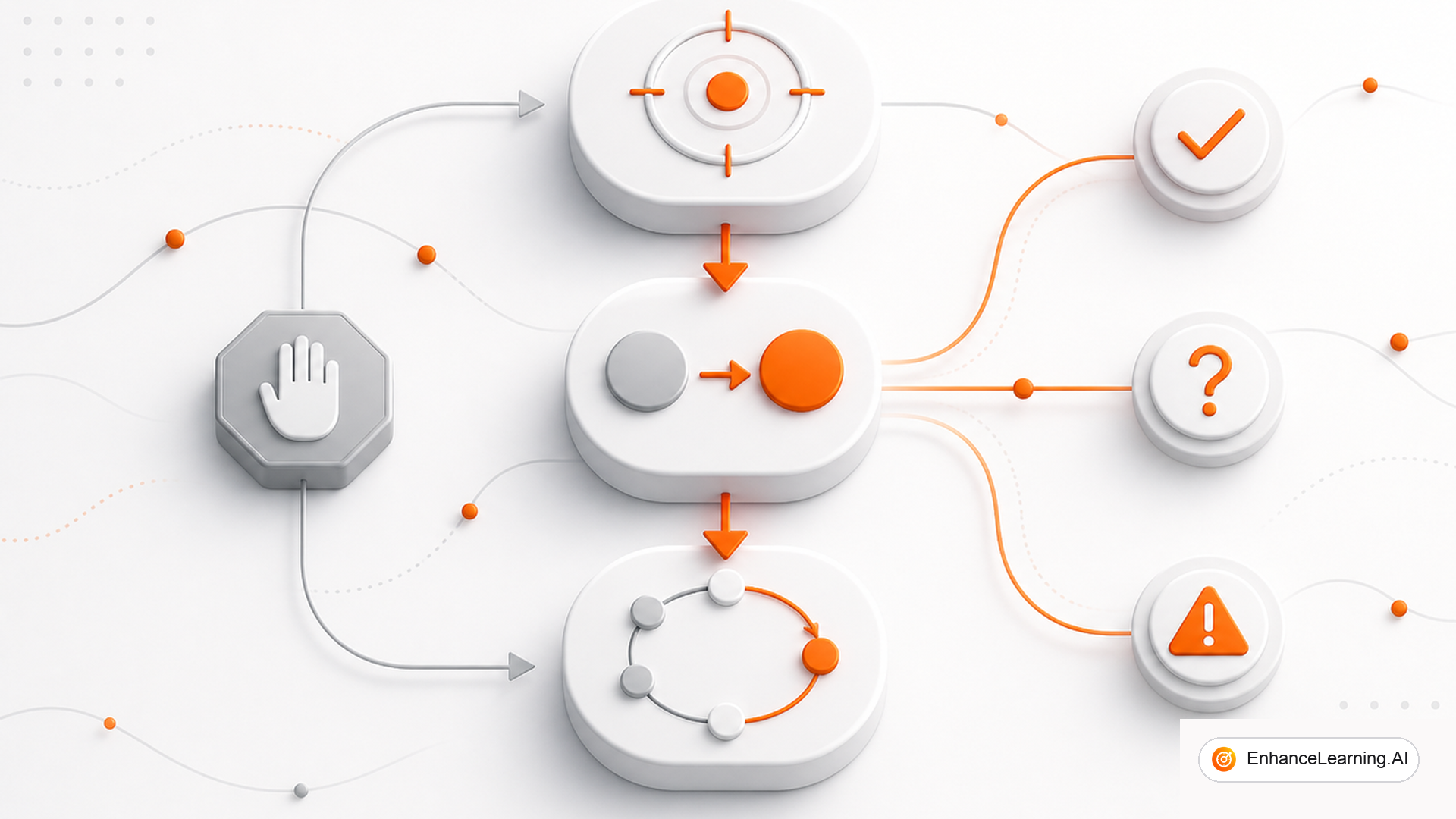
An agent without a designed loop is a chat session with side effects. It will keep talking, keep calling tools, or stop for the wrong reason. Loop engineering is deciding the cycle: what is observed, who decides, what may act, how you verify, and how you exit — including the ugly exits.
The loop is the product behaviour#
Users do not experience your model card. They experience whether the system finishes a refund, asks one clear question, or thrash-calls the same search tool until the gateway kills it.
Write the loop down before you tune prompts:
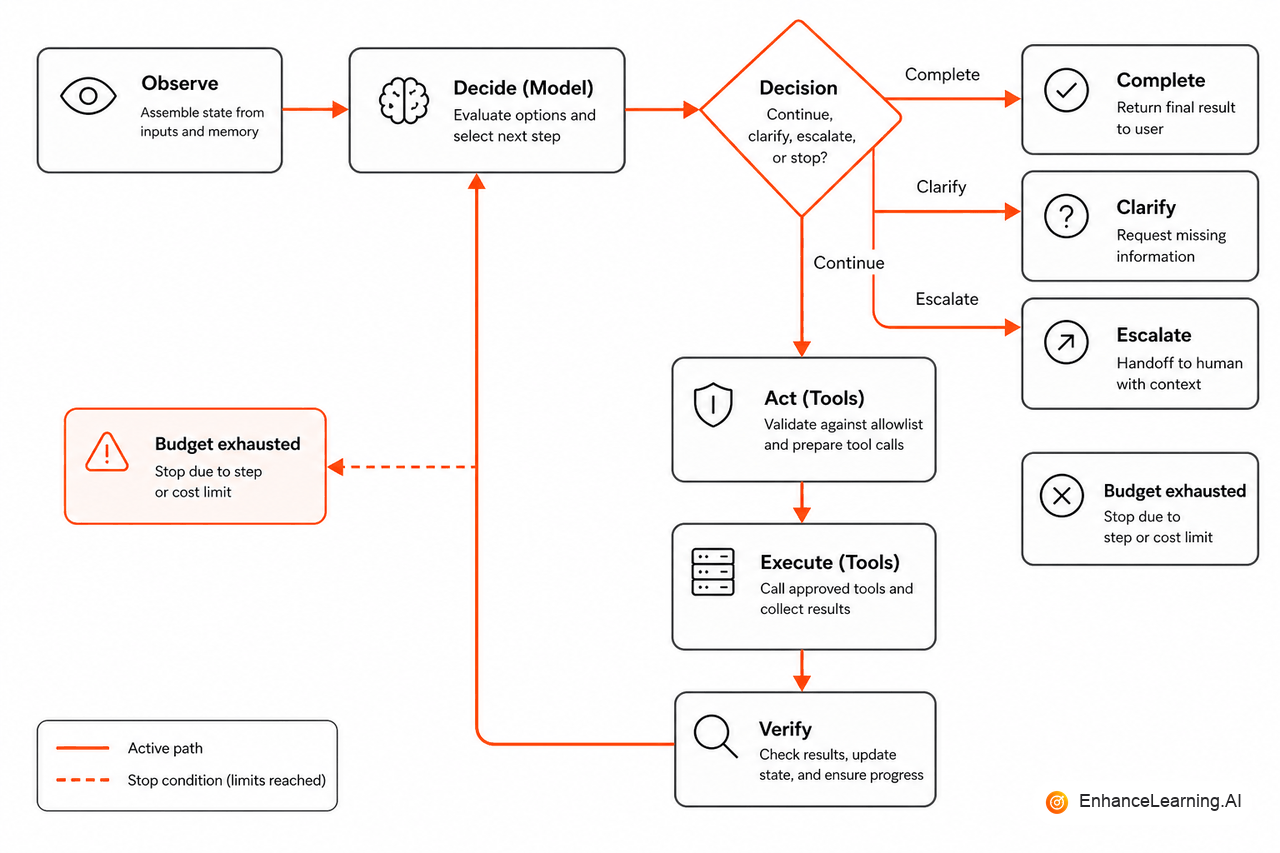
- Observe — assemble state (ticket, prior tool results, memory).
- Decide — model proposes complete, tool, or clarify.
- Act — harness runs an allowed tool or returns to the user.
- Verify — schema check, business rule, or cheap critic.
- Exit — success, need_clarification, escalate, or budget_exhausted.
If step 5 is “hope the model says done,” you do not have a loop. You have a vibe.
Write the exits on a whiteboard with product and support in the room. If they cannot agree what “escalate” means for a refund — which queue, which payload, which customer message — the model will invent a polite version of chaos. Loop engineering starts as a product contract. Code comes second.
Bounds are not optional#
Every production loop needs numbers someone can argue about in a design review:
| Bound | Example |
|---|---|
| Max steps | 8 tool rounds |
| Max wall time | 45s user-facing |
| Max tool failures | 2 identical failures → escalate |
| Max spend | Soft alert, then degrade |
type LoopExit =
  | { status: "complete"; answer: string }
  | { status: "need_clarification"; fields: string[] }
  | { status: "escalate"; reason: string }
  | { status: "budget_exhausted"; steps: number };

async function runLoop(input: CaseInput): Promise<LoopExit> {
  let state = initialState(input);
  for (let step = 0; step < 8; step++) {
    const decision = await decide(state);
    if (decision.kind === "complete") return { status: "complete", answer: decision.text };
    if (decision.kind === "clarify") {
      return { status: "need_clarification", fields: decision.fields };
    }
    const outcome = await act(decision.tool);
    if (outcome.repeatFailure) {
      return { status: "escalate", reason: "repeated_tool_failure" };
    }
    state = append(state, outcome);
  }
  return { status: "budget_exhausted", steps: 8 };
}
Exits should be typed. Your UI and your eval suite both need them.
Measure them in production the same way you measure HTTP status codes. A spike in budget_exhausted is not “the model got dumber.” It is a control-flow signal: tools are slow, evidence is weak, or the step ceiling is wrong for the job class.
Parse structured output. Check invariants (“refund amount ≤ order total”). Optionally run a second, cheaper pass on high-risk actions. Skip verification and a confidently wrong answer ships straight to the customer.
Feedback without infinite spin#
Loops improve when you close them outside the live request too: sample trajectories, score them, change tools or prompts under version control. That is an eval loop, not another tool call inside the hot path.
Do not let “reflection” mean unbounded self-talk. Cap critique passes at one unless the workflow is offline and paid for.
The other trap is retrying the same failing tool with slightly rephrased arguments forever. After two identical failures, escalate or clarify. More creativity at that point usually means fabricating parameters the CRM will reject — or worse, accept.
Patterns that usually work#
- Single bounded loop for one job class before you add specialists.
- Clarify early when required fields are missing — do not guess ids.
- Escalate on repeated tool failure instead of inventing arguments.
- Degrade (read-only tools, smaller model) when budgets trip.
Multi-agent setups multiply loops. Only add them when one loop with good tools is measurably stuck.
How this differs from harness and context#
Context engineering packs the observe step. Harness engineering secures the act step. Loop engineering ties the cycle together and forces an exit. Teams that only polish prompts still get stuck in “almost done” conversations. Teams that only add tools still spin. The loop is where product behaviour becomes testable: same inputs should end in the same class of exit, even when wording varies.
If you only remember one drill: take ten real cases, run the loop offline, and chart exit distribution before you change the model. Teams that skip that chart argue about vibes. Teams that keep it ship bounds they can defend.
Summary#
Loop engineering is control-flow design for agents: observe, decide, act, verify, exit — with budgets and typed failure paths. Get the loop right and model upgrades help. Get it wrong and every upgrade just fails faster.
Want premium architecture blueprints?
Be among the first to explore interactive reference architectures, implementation playbooks, and premium engineering resources at launch.
Related Articles
Recommended reading based on this topic.
Harness Engineering for Reliable Agents
The agent harness is the real product: tools, permissions, state, stops, and telemetry around a thin model call.
Read ArticleWhy Most AI Agents Are Workflows in Disguise
Tell true agentic reasoning from deterministic orchestration in disguise — and assess whether your system chooses next steps or follows scripts.
Read ArticleThe Anatomy of an Agentic AI System
Core parts of a real agentic system—perception, reasoning, planning, action, state, and bounds—and how they fit in production architectures.
Read Article