
The Difference Between an AI Assistant and an AI Agent
Where suggestion ends and independent action begins in AI-native systems — a precise boundary teams use loosely but rarely define in architecture reviews.
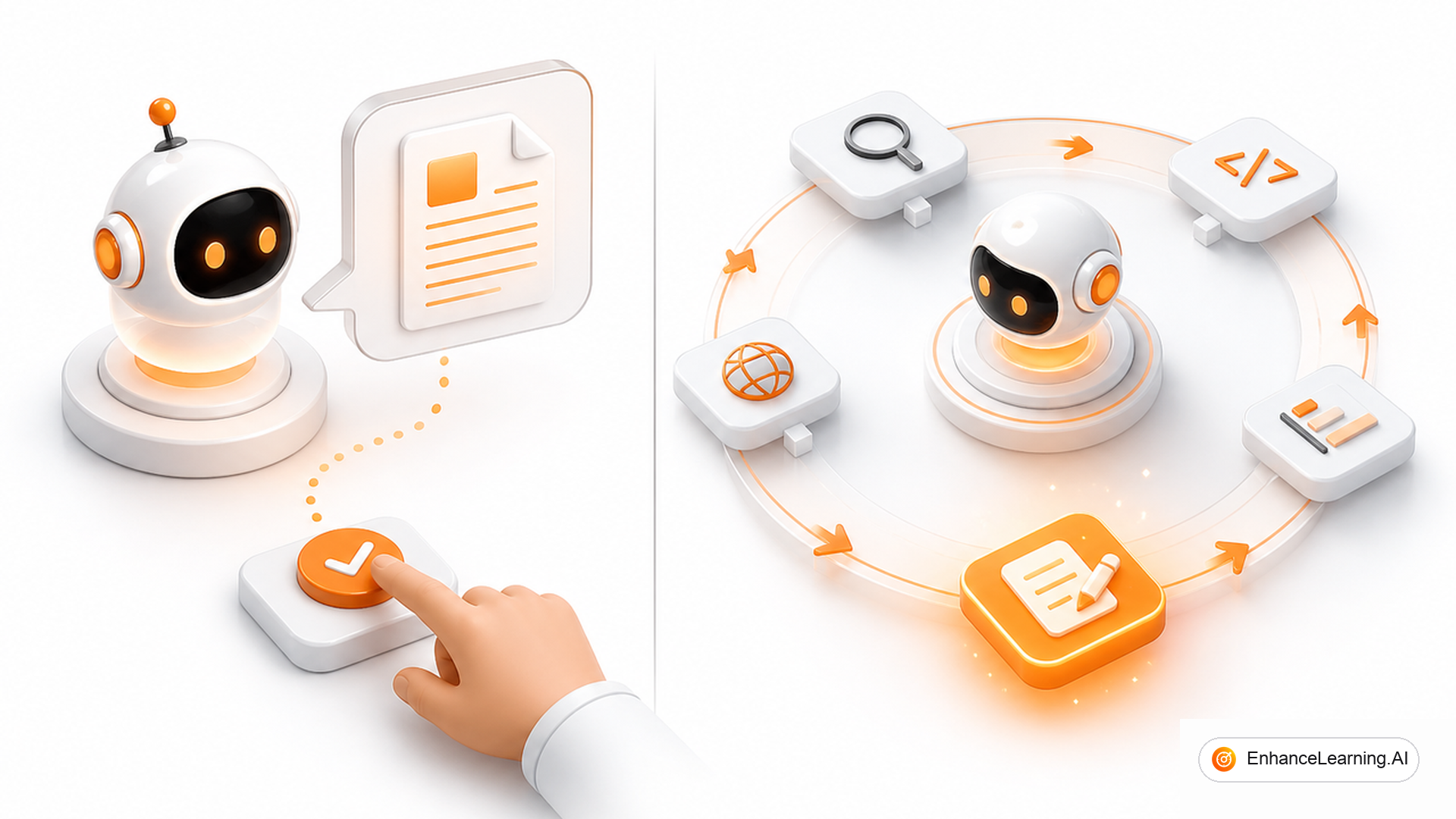
Product says “assistant.” Engineering says “agent.” Security hears both and assumes the worst. The words are not synonyms. An assistant suggests; an agent acts — and the gap between suggestion and action is where liability, UX, and runtime design diverge.
The boundary in one sentence#
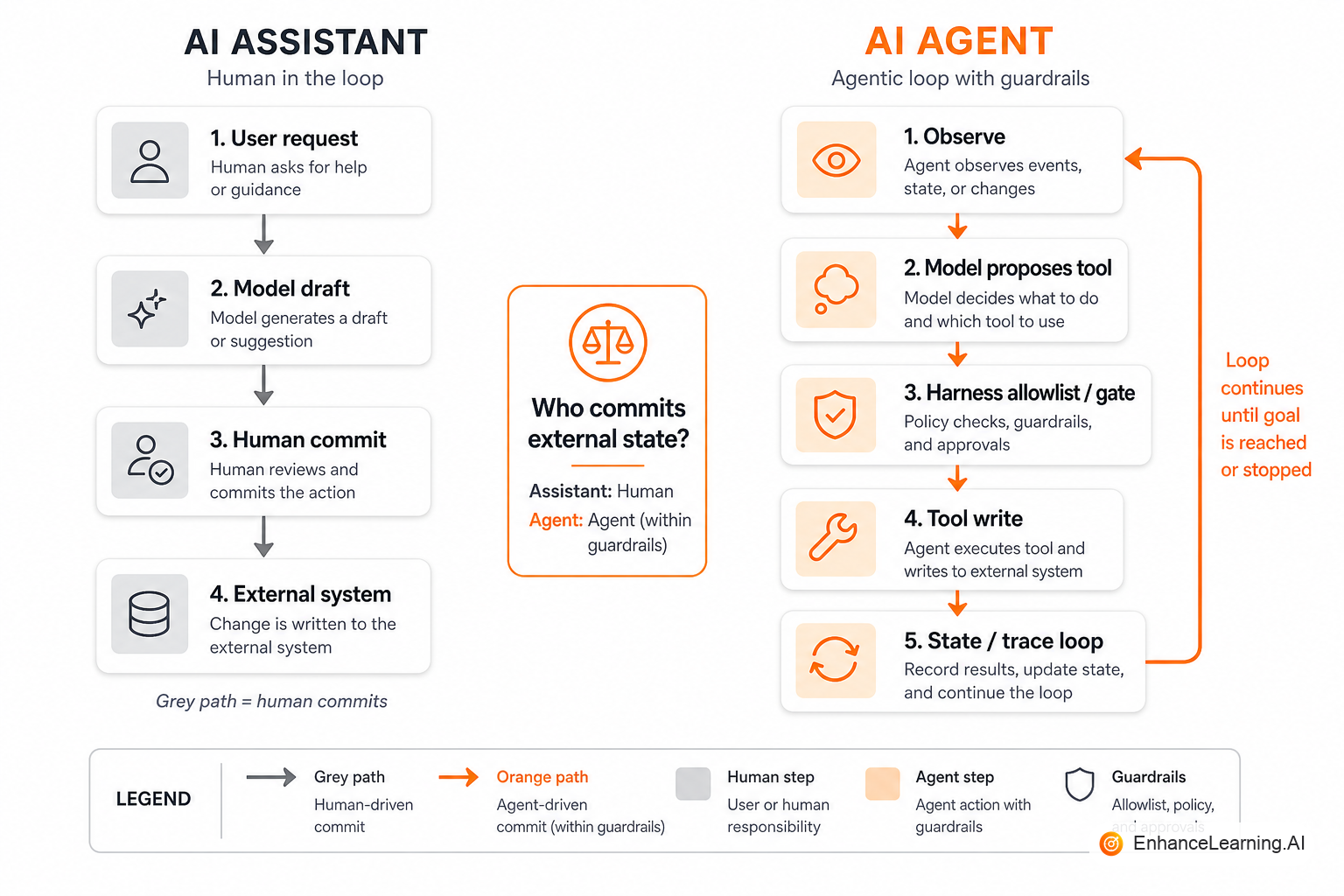
An AI assistant proposes content or options a human (or a calling system) must accept. An AI agent is authorized to take tool-mediated actions that change external state, often across multiple steps, under policy and budgets.
If nothing outside the chat transcript changes without a human click, you are still in assistant territory — even if the model is brilliant.
Why the loose language spreads#
Assistants are easy to demo: autocomplete, rewrite, summarize, answer with citations. Agents are easy to market: “it just handles it.” Vendors blur the line because “agent” sells. Internal teams blur it because renaming a Copilot-style feature to “agent” unlocks budget.
Then someone wires send_email without an approval gate and discovers the vocabulary was load-bearing.
The differences at a glance#
| Dimension | Assistant | Agent |
|---|---|---|
| Primary output | Text, options, drafts | Tool calls + state changes |
| Who commits | Human or outer app | Runtime may commit within policy |
| Control flow | Usually single-shot or short chain | Loop with observe → act |
| Failure mode | Bad advice | Bad side effects |
| UX contract | “Here’s a suggestion” | “I did X” / “I need Y to continue” |
| Eval focus | Quality of draft / answer | Trajectory success + safety |
Both can use tools. A retrieval call that only feeds the answer is still assistant-shaped. A tool that refunds money is agent-shaped.
Edge cases, and what to call them#
- “Apply fix” button. The model proposes a patch; the IDE applies on click. That is an assistant with a powerful commit UI. The human is still the actuator.
- Auto-apply with undo. Closer to agency. Treat it as an agent with a short leash: scoped files, rollback, audit.
- Background “assistant” that files tickets. If it creates Jira issues without asking, it is an agent with a polite name. Policy should match the side effects, not the label.
Rule of thumb: follow the write. Reads can be generous. Writes need agent governance.
Production story#
A sales team shipped an “email assistant” that drafted follow-ups. Adoption was high; damage was low. A sprint later someone enabled “send when confidence > 0.8.” Confidence was calibrated on tone, not on whether the opportunity was already closed. Customers got duplicate pitches. The model quality had not collapsed. The product crossed the assistant→agent boundary without changing risk review, logging, or kill switches.
They rolled back to draft-only in 48 hours. The postmortem title should have been “we shipped an agent wearing an assistant badge.”
Design implications#
For assistants#
- Optimize for edit distance and acceptance rate
- Cite sources; make rejection cheap
- Keep tools read-heavy
- Latency budgets are tight and user-visible
For agents#
- Optimize for successful trajectories under bounds
- Require allowlists, schemas, and idempotency keys
- Default irreversible tools to human-in-the-loop
- Emit traces a human can replay
- Define exits: complete, clarify, escalate, budget stop
from enum import Enum

class Role(Enum):
    ASSISTANT = "assistant"  # may draft only
    AGENT = "agent"          # may act within policy

POLICY = {
    Role.ASSISTANT: {"draft_email", "search_kb", "summarize"},
    Role.AGENT: {"draft_email", "search_kb", "summarize", "send_email", "create_ticket"},
}

IRREVERSIBLE = {"send_email", "create_ticket"}

def authorize(role: Role, tool: str, human_approved: bool) -> bool:
    if tool not in POLICY[role]:
        return False
    if tool in IRREVERSIBLE and role == Role.AGENT and not human_approved:
        return False  # agent still needs a gate for blast radius
    if tool in IRREVERSIBLE and role == Role.ASSISTANT:
        return False
    return True
Assistants should fail closed on writes. Agents may write — never silently on high blast radius.
In the PRD, add one line: “External state is committed by: human | agent-runtime | neither.” If the answer is ambiguous, the architecture is ambiguous.
Product and UX copy#
Stop saying “the agent will help you write.” Say “drafts a reply you send.” Stop saying “the assistant handles refunds.” Say “prepares a refund for approval” or, if true, “issues refunds under policy X.”
Users forgive slow assistants. They do not forgive agents that act without a mental model of authority.
Migration path#
Many products should start as assistants and earn agency:
- Draft-only in production
- Tool reads in production
- Writes behind explicit confirm
- Auto-writes for low-risk classes with caps
- Broader agency only with trajectory evals and on-call
Skipping to step 5 because a competitor’s blog used the word “agentic” is how you fund incident channels.
Metrics that match the role#
Assistants live and die on human acceptance:
- Edit rate / acceptance rate of drafts
- Time-to-first-useful-suggestion
- Citation faithfulness when grounded
Agents live and die on closed-loop success:
- Task completion under budget
- Irreversible-action precision (false sends, false refunds)
- Escalation quality (did we bother a human for the right reason?)
- Cost per successful trajectory
If your dashboard only shows “thumbs up on the reply,” you are measuring an assistant — even if the runtime can send mail. Add the agent metrics before you widen permissions, not after the first viral mishap.
Support and sales enablement should also split macros: “How do I edit the draft?” versus “Why did it file that ticket?” Mixed copy trains users to expect the wrong authority.
Governance paperwork#
Assistants rarely need a tool threat model beyond data egress in prompts. Agents need one line per tool: purpose, blast radius, approval rule, idempotency key, and owner. If that spreadsheet does not exist, you are not ready to cross the boundary — no matter how good the demo looks on happy-path CRM notes.
Security reviews should ask for the same spreadsheet. “We use an LLM” is not a control. “send_email requires human approval except for template T in region R” is a control. Keep that sheet next to the architecture diagram in the design packet so reviewers are not hunting through Slack.
Summary#
An AI assistant suggests; an AI agent acts on the world through tools under policy. Draw the line at who commits external state. Design, eval, and name the product accordingly — or the vocabulary will choose your risk profile for you.
Want premium architecture blueprints?
Be among the first to explore interactive reference architectures, implementation playbooks, and premium engineering resources at launch.
Related Articles
Recommended reading based on this topic.
The Anatomy of an Agentic AI System
Core parts of a real agentic system—perception, reasoning, planning, action, state, and bounds—and how they fit in production architectures.
Read ArticleLoop Engineering for Agentic Systems
How to design agent loops that terminate: observe, decide, act, verify — with budgets, escapes, and feedback that does not spin forever.
Read ArticleHarness Engineering for Reliable Agents
The agent harness is the real product: tools, permissions, state, stops, and telemetry around a thin model call.
Read Article