
The Hidden Coupling Between Prompts and AI System Architecture
Prompt length, role structure, and tool definitions leak into service boundaries, data flows, and API contracts — coupling teams thought was decoupled.
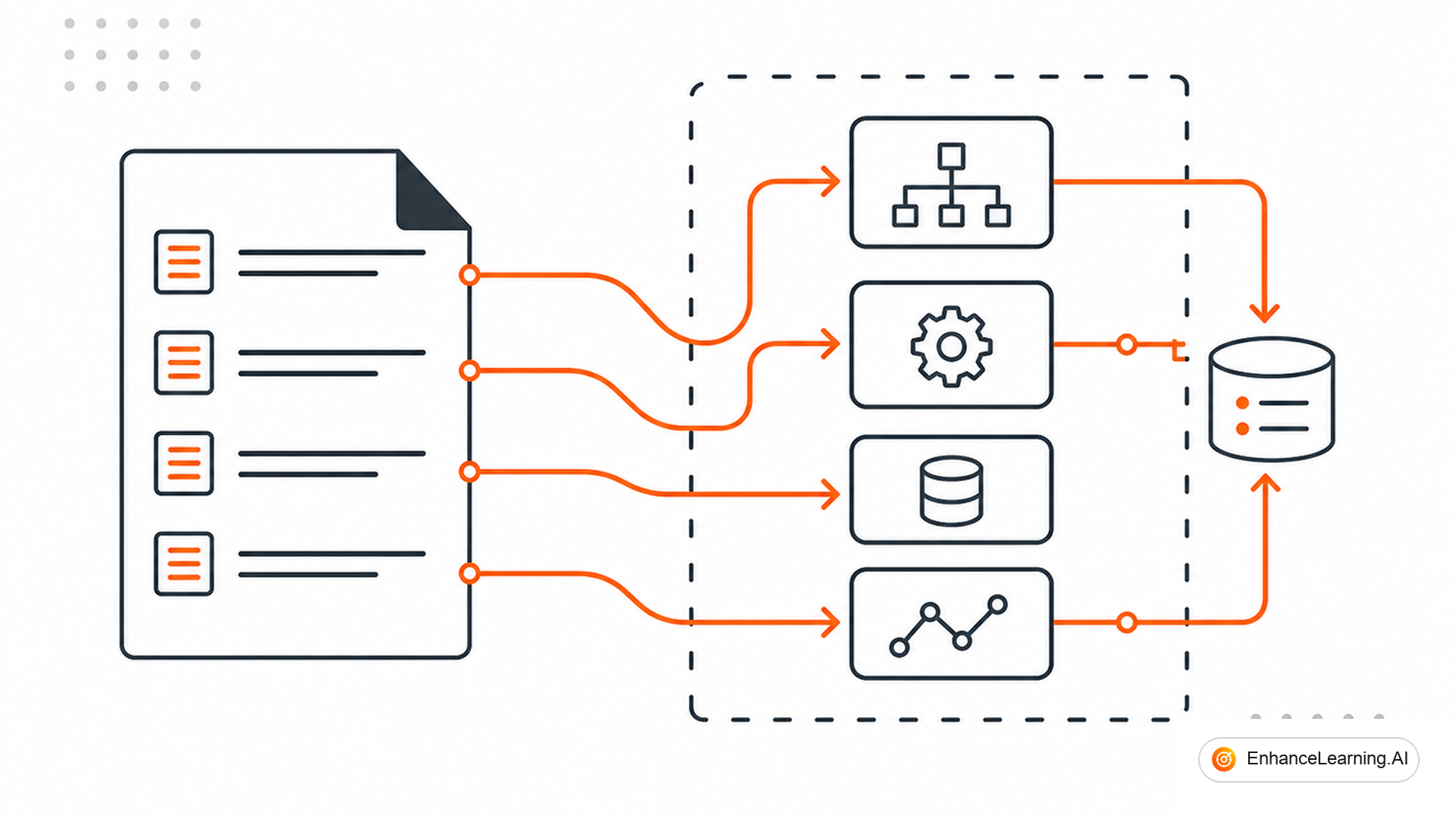
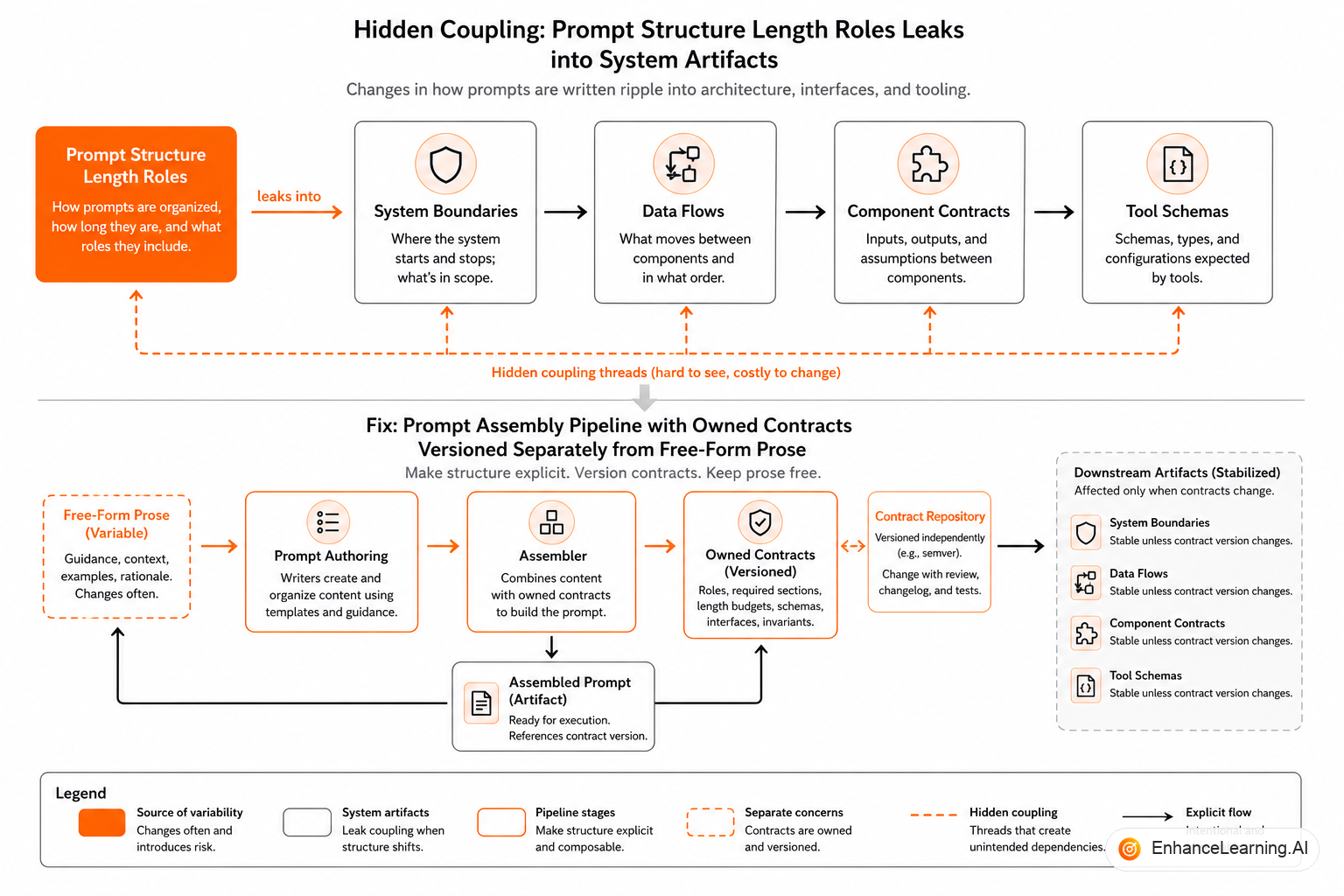
Prompts feel like soft configuration. Change a paragraph, redeploy, no schema migration. That fiction collapses the moment your system prompt embeds three thousand tokens of policy text assembled from four microservices, each owned by a different team, each assuming their chunk always loads. Prompt structure is architecture. Length drives latency and cost. Role boundaries define trust zones. Tool descriptions are API contracts the model reads. Ignore that coupling and you get "independent" services that fail together the moment one team tweaks a shared compliance paragraph.
This article names the leak points — so you can design boundaries that survive prompt iteration.
Prompt length is a capacity plan#
Every token in the system prompt competes with user input, retrieved chunks, and tool results inside a fixed window. Prompt bloat is not a writing problem; it is capacity planning:
- Longer prompts → fewer retrieval slots → more hallucination risk
- Longer prompts → higher baseline cost per request
- Longer prompts → slower time-to-first-token on some providers
When legal, security, and product each append "just one more section" to the system prompt, architecture suffers before anyone notices quality drift. The fix is not shorter prose alone — it is tiered context assembly: core invariants in every call, domain policy loaded conditionally, verbose examples in eval fixtures not in production prompts.
| Prompt segment | Architectural owner | Load strategy |
|---|---|---|
| Safety invariants | Platform / security | Always-on, versioned, small |
| Domain policy | Product + legal | Retrieve or route by intent |
| Tool catalog | Engineering | Generated from schema registry |
| Few-shot examples | Eval team | Dev/staging only unless proven necessary |
| User memory | Memory service | Budgeted, summarized |
Role structure defines trust boundaries#
Multi-message prompts (system, developer, user, tool) are not stylistic choices. They encode who is allowed to say what:
- System — non-overridable invariants (in theory; injection still exists)
- Developer — product behavior, tone, tool policy
- User — untrusted input
- Tool — untrusted external data dressed as assistant content
If retrieved documents land in the wrong role, the model treats vendor PDF text as instructions. Architecture must specify injection points — where retrieval attaches, where user HTML is sanitized, where tool JSON is delimited.
Teams that paste RAG chunks into the system prompt for "better attention" merge untrusted data into a trusted role. That is an architectural bug wearing a prompt hack.
Tool definitions are public API surfaces#
OpenAI-style function schemas, MCP tool manifests, and LangChain tool descriptions are contracts:
- Parameter names teach the model semantics
- Descriptions bias selection frequency
- Optional vs required fields shape failure modes
Changing create_refund to initiate_refund without updating downstream idempotency keys breaks trajectories. Adding a tool increases branching factor and eval surface. Removing a tool breaks golden sets.
Treat tool registries like OpenAPI specs:
- Versioned
- Reviewed in PR
- Validated against schema linter
- Covered by contract tests that simulate model-facing JSON
import { z } from "zod";
import { zodToJsonSchema } from "zod-to-json-schema";

const SearchOrders = z.object({
  customer_id: z.string().uuid().describe("Customer UUID from auth context"),
  status: z.enum(["open", "shipped", "returned"]).optional(),
  limit: z.number().int().max(50).default(10),
});

export const toolRegistry = {
  search_orders: {
    schema: zodToJsonSchema(SearchOrders),
    handler: "tools/orders/search.ts",
    policy: "read_only",
    owner: "orders-platform",
  },
} as const;

export function buildToolPromptFragment(): string {
  return Object.entries(toolRegistry)
    .map(([name, meta]) => `- ${name} (${meta.policy}): ${meta.owner}`)
    .join("\n");
}
Generating prompt fragments from a registry keeps architecture and prompts synchronized. Manual duplication guarantees drift.
The prompt assembly graph is your real architecture#
Org charts show teams owning microservices. Runtime shows prompt assembly graph:
- Auth service → user identity
- Policy service → compliance snippets
- Catalog service → product facts
- Retrieval → document chunks
- Memory service → session summaries
If assembly is ad hoc in one buildPrompt() function, every new data source couples to every workflow. Modular architecture for prompts means explicit assemblers per workflow pulling from shared providers — not one god string.
Failure coupling example: policy service slow → entire agent slow → timeout → fallback storm. Architectural fix: async prefetch with TTL cache for policy segments, not shorter timeout on the model alone.
Require the same review checklist as API changes: Who owns new tokens? Which evals rerun? Does retrieval budget shrink? Do tools change? A "copy tweak" that adds 800 tokens can evict half your RAG context and raise hallucination rate — with no code change in the diff stat.
Coupling through shared few-shots and eval fixtures#
Teams share example transcripts to "keep tone consistent." Shared few-shots couple workflows silently: the returns agent inherits phrasing examples that mention warranty rules from the hardware agent. Eval fixtures drift from production prompts when copied by hand.
Centralize pattern libraries but scope examples per workflow. Eval fixtures should import from the same assembly functions production uses — not forked markdown files.
Decoupling tactics that actually work#
- Prompt templates with typed slots —
{{policy:returns}}resolved by policy service, not pasted prose - Budget enforcer — hard cap per segment; overflow drops lowest-priority sections
- Schema-generated tool docs — single source of truth
- Role discipline — retrieval always in tool or user-attributed blocks, never system
- Fingerprinted releases — hash assembled prompt structure per deploy for replay
Decoupling does not mean "no shared infrastructure." It means explicit contracts at every slot boundary.
Measuring coupling before it hurts#
Indicators prompt-architecture coupling is getting dangerous:
- Median prompt size grew >20% quarter-over-quarter without scope increase
- More than three teams must approve "copy-only" prompt PRs because of embedded policy
- Golden eval failures cluster when unrelated services deploy
- Tool count grows faster than workflow count
When two or more appear, schedule a prompt assembly refactor before the next feature wave — not after an incident.
Platform primitives for bounded prompt assembly#
Context providers expose narrow APIs: getReturnsPolicy(tenantId) -> PolicyBlob, not raw database access from prompt builders.
Assembly pipelines are declarative: ordered stages with per-stage token budgets logged per request.
Prompt lint in CI flags system-role injection of user-controlled strings, oversize segments, and tools missing owners.
These are boring platform tickets. They prevent outages as well.
When coupling is acceptable#
Not all coupling is bad. Tight coupling between prompt assembly and eval fixtures is desirable — they should move together. Tight coupling between unrelated policy domains in one system prompt is not.
Document intentional coupling in architecture decision records: "Legal and product policy share an assembler because releases are synchronized" is a defensible choice if true.
Handoff checklist for prompt changes#
Before merging a prompt PR that touches architecture-sensitive slots:
- Token budget impact measured against worst-case retrieval load
- Tool registry regenerated if descriptions changed
- Role placement reviewed for untrusted content
- Golden eval suite rerun; diff attached
- Fallback behavior unchanged or explicitly updated
- Owning teams listed in changelog entry
Evolution path for prompt architecture#
Mature teams move from ad hoc strings to three-layer prompt architecture:
- Invariant core — safety, auth context, non-overridable rules (<500 tokens)
- Workflow template — goals, tone, output schema reference
- Dynamic slots — policy, retrieval, memory filled per request with logged sizes
Evolution is incremental. Start by measuring segment sizes in production logs. You cannot budget what you do not measure.
When dynamic slots exceed template size, the architecture signal is clear: too much policy is loading unconditionally — split by intent or retrieve on demand.
Closing the loop with postmortems#
When a prompt change causes a quality incident, postmortems should trace assembly graph failures — wrong role, oversized segment, tool description drift — not stop at "model hallucinated." Remediation items look like platform work: add lint rule, split provider, tighten budget. Treating prompts as copy makes repeat incidents inevitable. Architecture reviews belong in the blameless postmortem, same as code.
Summary#
Prompts are not soft configuration floating above architecture. Length consumes context budget and money. Roles define trust zones. Tool descriptions are APIs the model invokes. Assembly graphs determine which services fail together. Hidden coupling shows up as quality regressions with clean microservice metrics — because the prompt tied independent teams into one brittle bundle. Design prompt assembly with the same rigor as service meshes: typed slots, owners, budgets, generated contracts, and architecture review for every change that adds tokens or tools.
Want premium architecture blueprints?
Be among the first to explore interactive reference architectures, implementation playbooks, and premium engineering resources at launch.
Related Articles
Recommended reading based on this topic.
What Context Engineering Means for AI-Native Systems
Context engineering is a first-class discipline for AI-native systems — not ad hoc prompt writing. Context quality often beats model choice in production.
Read ArticleWhy More Context Doesn't Improve LLM Output Quality
Stuffing the context window with more text often hurts LLM output — irrelevant tokens add noise, latency, and cost. Curation beats volume in production.
Read ArticleThe Architecture of Fallback in AI-Native Systems
When models fail or confidence drops, AI-native systems need layered fallbacks — rule engines, cached answers, human queues — not generic error messages.
Read Article